This video provides a hands-on walkthrough of Social Champ's white-label capabilities on the Agency plan free trial, with fourteen days left and no card added. On the pricing page, the Agency plan lists White Label Reports, so the white label here is about reports. It starts with scheduled reports, where the Personalize your report step swaps the Social Champ logo for the iwhitelabel logo, the report gets its own name, and Change Title Cover can put an image on the cover, which comes out oversized here. It then shows that branding is set per report, so a report for the client Northwind gets its own name and logo, and Shared Analytics, which makes up to a hundred client report links on this plan, each with a name, a display picture like the Northwind logo, a PDF download option and a password; saving a link needs a connected social account, so no finished report is shown. The video also covers Client Management, where clients are invited but there are no branding options, Approvals with a multi-step workflow in beta and External Review so clients can sign off on posts, and the settings menu, which has no section for app branding, colours or a custom domain, so the branded result is the report itself, set up one report at a time.
 00:02:16
This video provides a hands-on walkthrough of Zendo's white-label capabilities on the 14-day Pro trial, where some options depend on the plan and badge removal needs the Agency plan. It starts with Branding's General tab, which offers 11 preset accent colours plus a custom colour from Core up, and the Logos card, which takes a main logo, a favicon and an app icon, with logo toggles for the sidebar, invoices and emails. It then covers the Custom domain URL field, which connects your own subdomain on Pro and above, chatbot customisation from Core up, links to your own Help Center and Terms of Service on any plan, and the Powered by Zendo badge toggle, which stays locked because removing it is Agency-only. The video also shows the Sign up and Login tab, where you can hide social login and upload your own sign-up and login image, the Emails tab with a custom email domain over SMTP and a custom email footer, sidebars from Core up that you can create for specific clients, with an Appearance tab for logo, background, text and selected-item colours, and the Storefront page with a shareable link and a header background image, where a Powered by Zendo pill still shows on this plan.
 00:01:39
This video provides a hands-on walkthrough of Lunacal's white-label capabilities on the free plan, because every seven-day trial asks for a card. Paid plans are $9, $15 and $25 per user per month, and the feature table shows brand colours and removing Powered by Lunacal on every paid plan, sending email from your own domain on Enterprise only, and your own booking domain as an Enterprise add-on. It starts with Appearance, where a custom brand colour is saved and Disable Lunacal branding is locked on the free plan, then the booking page editor, where Add Logo puts the company logo on the booking card. It then covers the Custom Domain tab for booking pages on your own domain, where Activate a domain is greyed out with zero of zero domains available, Email Theme with four templates for booking emails, and the Client Portal, which can be customised with background and text colours and a company logo. The video also shows per-client branding on the free plan: a team called Northwind gets its own booking link under lunacal.ai/team, its own logo and its own switch to remove Built with Lunacal, while the public booking page shows the logo and still says Built with Lunacal on the free plan.
 00:01:50
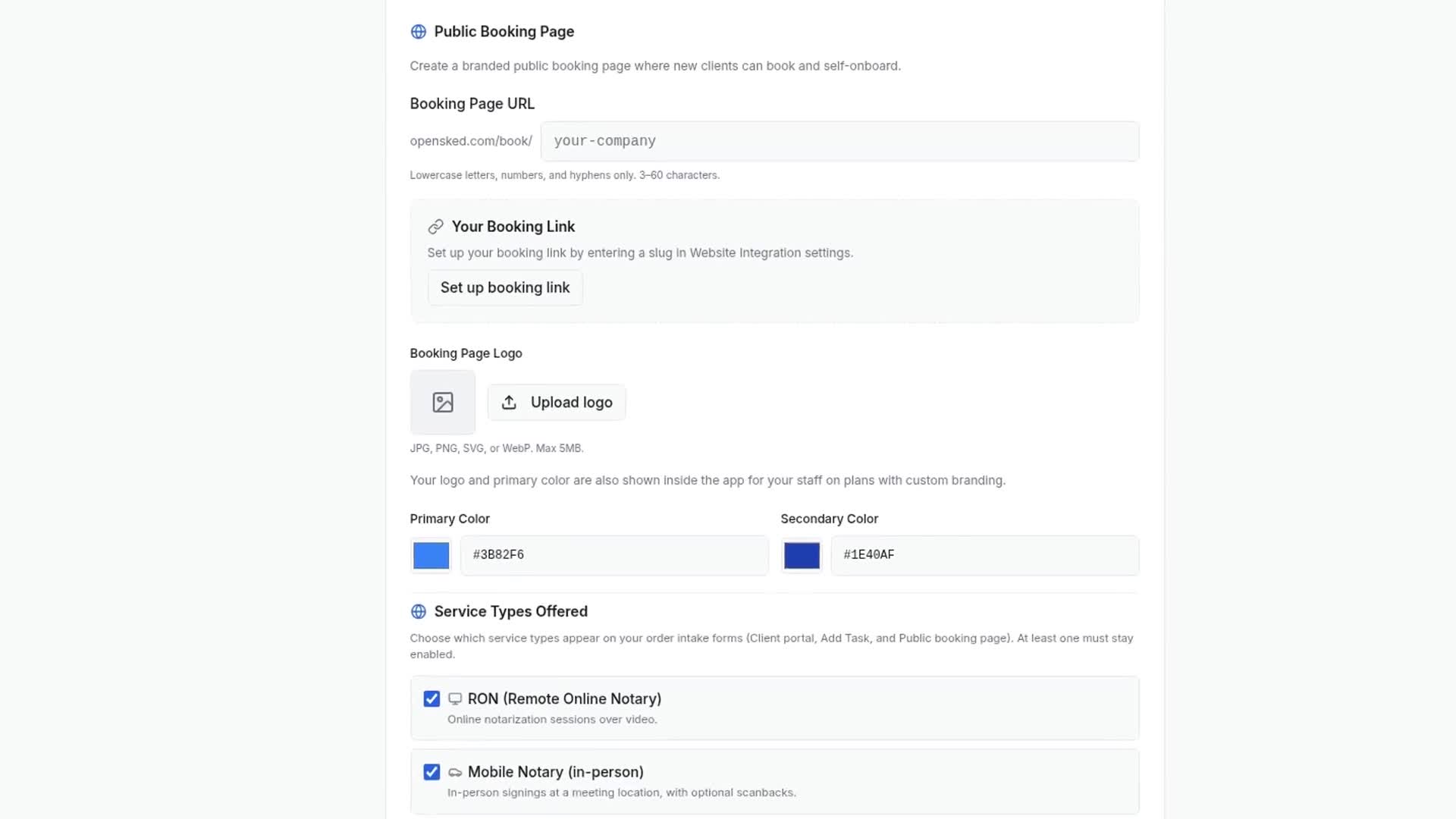
This video provides a hands-on walkthrough of OpenSked's white-label capabilities on the free trial, showing how to upload a company logo and give the public booking page its own logo plus primary and secondary brand colours. It demonstrates setting a custom booking slug and reviews the resulting public booking page, which shows the agency's name and logo while the buttons stay blue and a "Powered by OpenSked" footer remains. The video also covers email sender options (Gmail, Outlook or custom SMTP), client records without per-client branding, and the in-app dashboard, where staff-facing logo and colour branding is locked to plans with custom branding; full white label is on the quote-based Concierge plan.
 iwhitelabel
This video provides a hands-on walkthrough of Social Champ's white-label capabilities on the Agency plan free trial, with fourteen days left and no card added. On the pricing page, the Agency plan lists White Label Reports, so the white label here is about reports. It starts with scheduled reports, where the Personalize your report step swaps the Social Champ logo for the iwhitelabel logo, the report gets its own name, and Change Title Cover can put an image on the cover, which comes out oversized here. It then shows that branding is set per report, so a report for the client Northwind gets its own name and logo, and Shared Analytics, which makes up to a hundred client report links on this plan, each with a name, a display picture like the Northwind logo, a PDF download option and a password; saving a link needs a connected social account, so no finished report is shown. The video also covers Client Management, where clients are invited but there are no branding options, Approvals with a multi-step workflow in beta and External Review so clients can sign off on posts, and the settings menu, which has no section for app branding, colours or a custom domain, so the branded result is the report itself, set up one report at a time.