This video provides a hands-on walkthrough of Noloco's white-label capabilities on the free Build trial. Billing shows Build at $79 a month with custom branding and custom domains, while the free plan keeps Noloco branding. It starts with General settings, where the app is named iwhitelabel Client Portal and logos for light and dark backgrounds and a favicon are uploaded, and Layout and design, where a purple accent colour turns the preview sidebar purple. It then covers Custom domains, open on the trial, where portal.iwhitelabel.io is added and then cancelled, and Login and Sign Up, which takes your own title, subtitle and logo while the preview still shows Powered by Noloco and single sign-on needs the Enterprise plan. The video also shows Email settings with your own sender name, where a custom sender address through SMTP is a paid add-on, Custom code for header and footer scripts, locked on the trial, and Spaces, which need Enterprise. For per-client branding, a separate app called Northwind gets its own Noloco subdomain, logo and teal accent colour, the workspace lists both apps side by side, and each app keeps its own sidebar colour and logo, with the Noloco credit still at the bottom of the login page.
 00:02:41
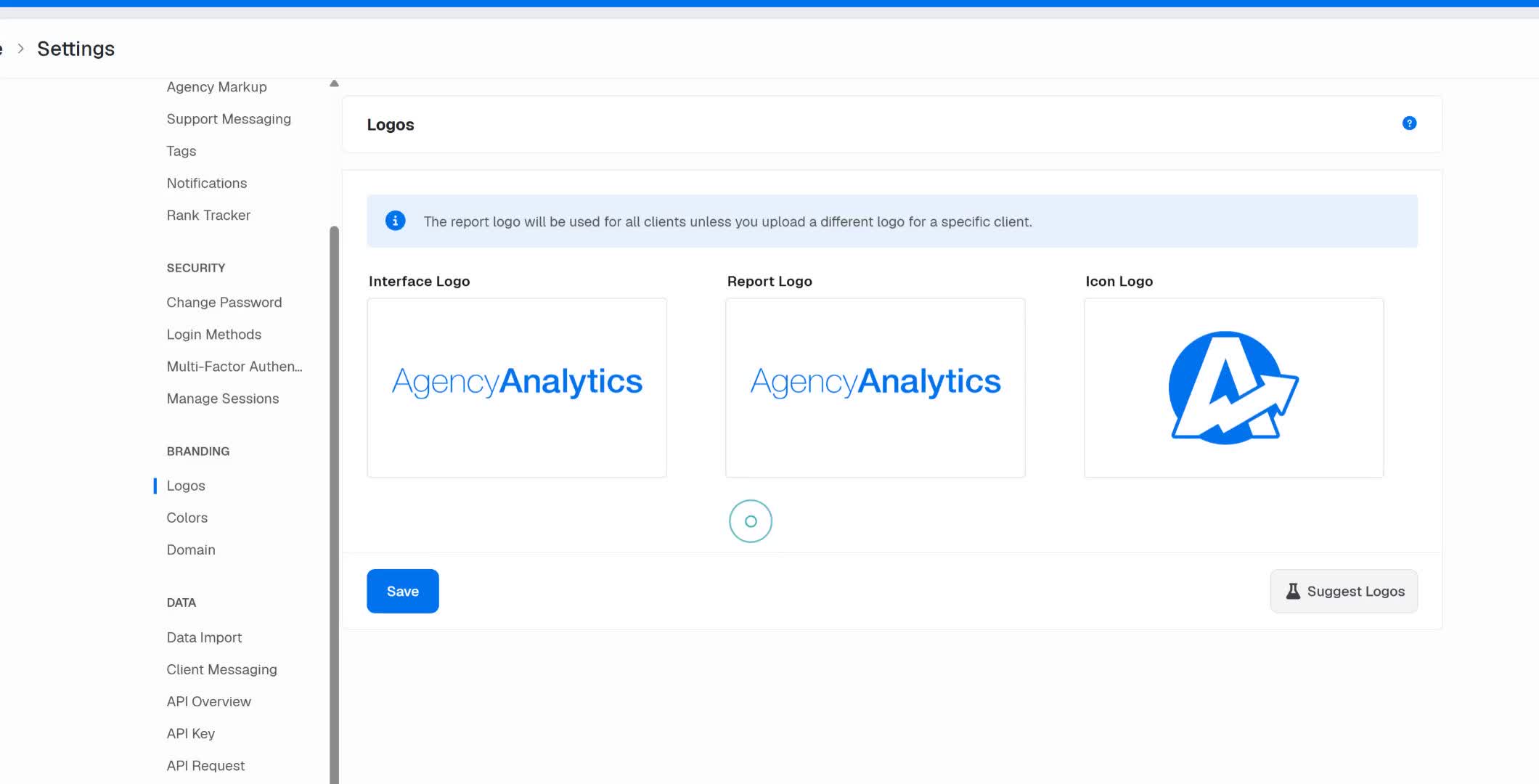
This video provides a detailed walkthrough of the white labeling settings in agencyanalytics.com, covering key features such as logos, colors, login domain customization, and adding clients. It explains how agencies can customize their branding across the platform, set agency-wide and client-specific ad cost markups, and manage linked accounts and clients within the system.
 00:01:34
This video provides a hands-on walkthrough of Metrics Watch's white-label capabilities on the free trial. It starts with Billing, which lists three plans by report count: Startup at $49 a month, Pro at $149 and Agency at $399. It then covers the Business tab, where the From line shows Acme Agency and the business name, reply address and logo are set, while the sending address hi@metrics.watch is shared and the footer reads Sent by Metrics Watch, on behalf of Acme Agency. Under Brand and design, Make it yours sets the brand colours with a switch to use them in every design, Browse designs opens a gallery of email layouts, colours can be entered by hand, the header options slim the header or hide the logo and site name, and a live preview applies the Acme logo and colours to a sample report. The video also shows per-client branding at report level: Northwind Co's report uses its own email design and site name, and a White label switch overrides the account defaults with its own business name, reply-to address, logo URL and physical address. The Widgets tab offers report templates, though the report stays empty without a connected integration, and account-level colours and designs apply to every report unless a report overrides them.
 00:02:30
This video provides a hands-on walkthrough of SimplyBook.me's white-label capabilities in two parts: first in a free trial account with Premium features, then on an Enterprise cluster with two client companies. Part 1 shows Design settings for your logo, theme and booking page brand colours with custom CSS, the Custom Features list with a one-time 119 euro custom domain, SMTP so notifications come from your own email address, a branded client mobile app that needs client login and free custom CSS and SSL, while custom email isn't available on this subscription. It also covers editable email and SMS notification templates, user roles such as Admin, Senior Employee, Junior Employee and Viewer, custom wording and translations, and the plans, where full white label that removes SimplyBook branding from the booking side comes with Premium and Premium Plus, while the admin area still shows SimplyBook branding and the favicon can't be changed. A bridge card then compares the two setups. Part 2 shows the Enterprise cluster dashboard with two client companies under one partner environment, company details on a Premium plan with white-label items such as link removal and a branded client app already ticked, a public booking page with our logo and purple book-now buttons on the Enterprise bookings domain, Design settings with an uploaded logo and favicon and purple theme colours, a custom domain option under Custom Features that needs a purchase and is left off, and a second company still on the default green theme, showing that branding is set per client.
 iwhitelabel
This video provides a hands-on walkthrough of Noloco's white-label capabilities on the free Build trial. Billing shows Build at $79 a month with custom branding and custom domains, while the free plan keeps Noloco branding. It starts with General settings, where the app is named iwhitelabel Client Portal and logos for light and dark backgrounds and a favicon are uploaded, and Layout and design, where a purple accent colour turns the preview sidebar purple. It then covers Custom domains, open on the trial, where portal.iwhitelabel.io is added and then cancelled, and Login and Sign Up, which takes your own title, subtitle and logo while the preview still shows Powered by Noloco and single sign-on needs the Enterprise plan. The video also shows Email settings with your own sender name, where a custom sender address through SMTP is a paid add-on, Custom code for header and footer scripts, locked on the trial, and Spaces, which need Enterprise. For per-client branding, a separate app called Northwind gets its own Noloco subdomain, logo and teal accent colour, the workspace lists both apps side by side, and each app keeps its own sidebar colour and logo, with the Noloco credit still at the bottom of the login page.